The same shot, with the AF module out of place
Back to the example from the first page. This time the AF module has moved a tiny amount from where it was in the factory:
- You press the shutter button
- The AF module has moved, so it measures a different offsetOffset +30It should have been +27
- The AF processor works out the lens move from that93 stepsIt should have been 85
- The lens moves too far, and the shot is takenSoft
Instead of +27 the AF module reports +30. The AF processor uses its calibration data to turn that into a lens movement of 93 steps, when 85 was right. The lens moves, the shot is taken, and you look at the screen, a little disappointed.
Focus adjustment
This is what AF Microadjustment (Canon) and AF Fine-Tune (Nikon) are for. It’s a value you set in the camera, and it shifts every focus move the AF processor works out by a small, fixed amount. That cancels out a fixed error anywhere in the autofocus system: the AF module, the mirrors, the sensor, the mount or the lens.
- You press the shutter button
- The AF module is still out of placeOffset +30
- The AF processor still works out 93 steps93 steps
- Your focus adjustment corrects the move93 → 85
- The lens moves to the right placeSharp
Nothing about the AF module has changed, and the AF processor still asks for 93 steps. But the focus adjustment brings that back to the correct 85, the lens lands in the right place, and the shot is sharp.
Cameras store a value for each lens. Many Canon cameras since the 5D Mark III (2012), and Nikon cameras since the D780 (2020), also store separate values for the wide and telephoto ends of a zoom.
So what should the value be?
That’s the hard part. You can take test shots of a ruler at different values and squint at the results, but it’s slow, and it’s hard to be sure.
That’s why I wrote Reikan FoCal. (This is the bit where I try to sell it to you. Sorry!)
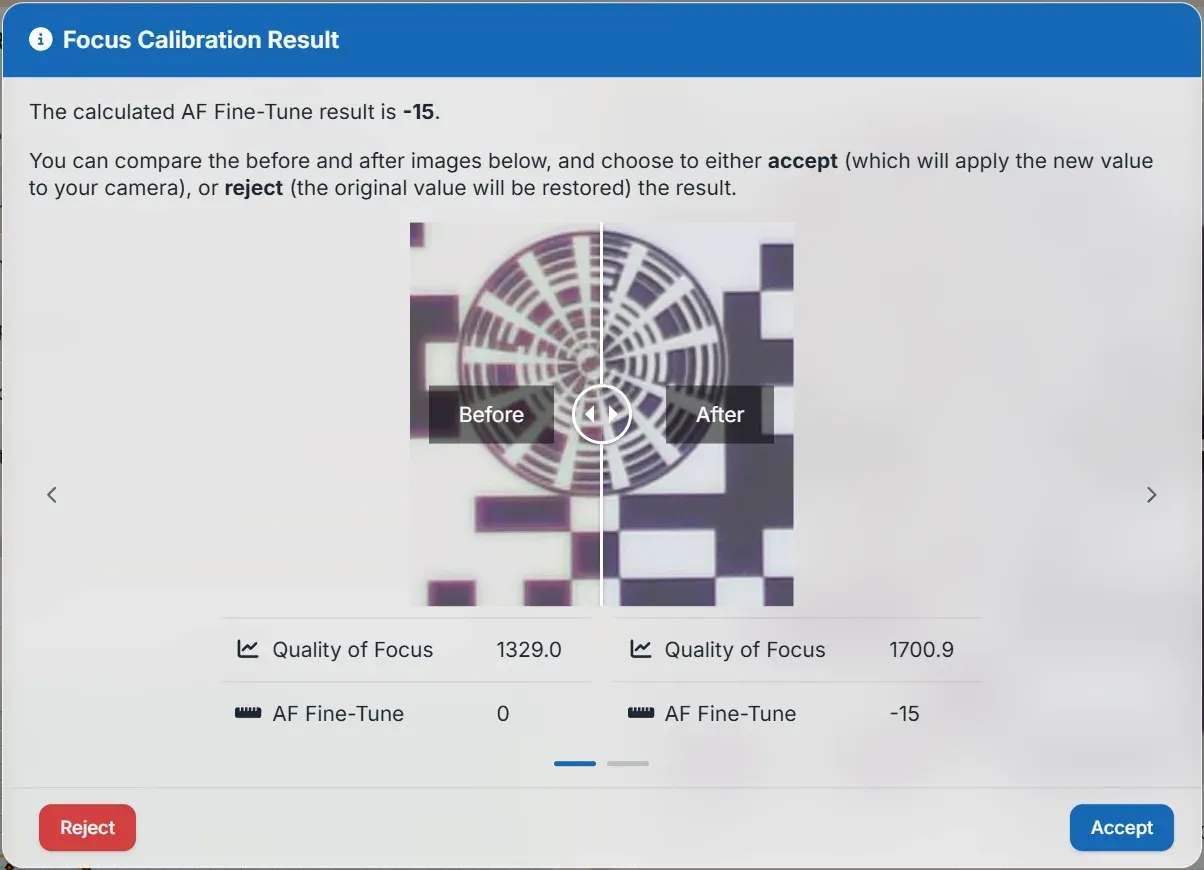
Connect your camera to your computer (or your phone or tablet), set up the FoCal target, and FoCal takes control of the camera. It takes a series of shots of the target at different adjustment values, builds a sharpness profile for your lens on your camera, and works out the value that gives the sharpest pictures. On many cameras it sets the value too.
It does it at the press of a button, but it also shows you all its workings if you want to dig in.
Check yours for free
FoCal Mobile is free on iPhone, iPad and Android. Connect it to your camera and its AF System Check tells you whether your autofocus needs tuning. You’ve nothing to lose.
Then calibrate
To actually tune your camera and lenses you’ll need to pay, but you’ve probably spent far more on your kit than FoCal costs, and it would be a shame not to get the best from it.
- FoCal Mobile Pro calibrates your lenses from your phone or tablet.
- FoCal Plus (Windows and Mac) calibrates and checks your calibration.
- FoCal Pro does all that, plus the rest of the Kit Health Check: AF consistency, aperture sharpness, MultiTest, stabilisation and dust tests, the history of every test, and a comparison of your kit with thousands of other FoCal users’ results.
Focus adjustment fixes a fixed error, wherever it comes from. FoCal finds the value for each of your lenses.
But do you really need to bother? Next, the evidence.