FoCal Setup Checklist
On this page
Use this checklist to get everything ready before you test. The same setup works for calibration and for a full Kit Health Check: once you're set up to calibrate, you can run FoCal's other tests too.
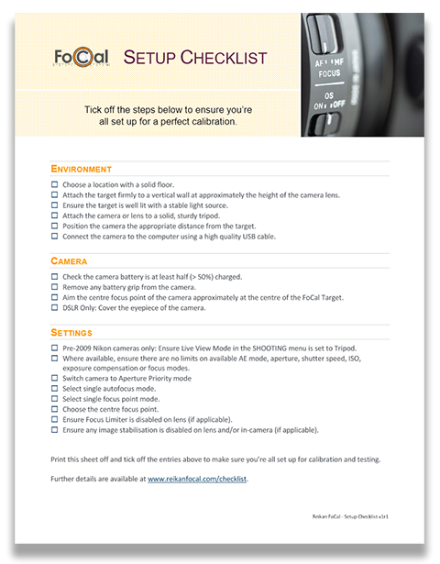
Download the FoCal Setup Checklist (PDF). It's also installed with FoCal: choose Help › Documents....
Details
Why each item on the checklist matters:
Environment
Choose a location with a solid floor
A ground floor is less likely to vibrate when people walk around or lorries drive past. Vibration during a test reduces the quality of your results.
Attach the target firmly to a vertical wall at about the height of the camera lens
If you print the target yourself, make sure it's flat and can't move during testing. We recommend a FoCal Hard Target (from the FoCal Store): these are the targets we use for all our development and testing.
Make sure the target is well lit with a stable light source
Avoid fluorescent and LED lighting if you can. They can flicker: you won't see it, but the camera can, and the results may be less accurate. Also avoid changeable outdoor light, such as clouds moving across the sky. FoCal can cope with small changes in light level, but large changes cause problems.
Mount the camera or lens on a solid, sturdy tripod
If your tripod has a hook at the bottom of the centre column, hang something heavy from it for extra stability.
For large lenses, mount the lens on the tripod using its tripod collar, not the camera. This reduces the strain on the camera mount and makes the whole setup more stable.
Put the camera at the right distance from the target
The Target Distance Tool shows the recommended minimum distance for your lens, with or without a camera connected. Open it from Help › Target Distance: see Target Distance Tool.
Connect the camera to the computer
Use the USB cable that came with your camera, or a good-quality alternative, and avoid extension cables. A poor USB cable is a common cause of unreliable testing, and it's usually the first thing we suggest changing.
Camera
Make sure the camera battery is at least half charged
A low battery can make tests fail or run incorrectly. FoCal catches most problems, but a camera with a low battery can behave unpredictably.
Remove any battery grip
A battery grip can add a lot of vibration on a tripod. Remove it before you test.
Aim the camera's centre focus point roughly at the centre of the target
It doesn't need to be precise: Target Setup checks the position.
DSLR only: cover the eyepiece
This stops stray light entering through the viewfinder and affecting the exposure.
Settings
Set the camera to photo mode, not video
If your camera has a photo/video switch, set it to photo, or FoCal may not work correctly.
Turn off Wi-Fi (USB connection only)
On some cameras, Wi-Fi being on stops the camera connecting over USB. If you're connecting with a cable, turn Wi-Fi off.
Shoot without card
If:
- Canon: "Shoot w/o card" is disabled, or
- Nikon: "No shutter release without card" is enabled,
make sure there's a formatted memory card with free space in the camera.
Pre-2009 Nikon cameras only: set Live View mode in the SHOOTING menu to Tripod
FoCal needs this to control the camera correctly. Without it, FoCal can't control some settings and the results will be wrong.
Don't restrict the exposure modes, aperture, shutter speed, ISO, exposure compensation or focus modes
High-end cameras often let you disable unused modes in the custom settings. Disabled modes can cause problems during testing.
Set the camera to Aperture Priority
Usually marked A or Av on the mode dial or top screen.
Select single autofocus
ONE SHOT on Canon, AF-S on Nikon.
Select single-point AF
Don't use any automatic AF point selection. When you half-press the shutter button (or press AF-ON), you should see one fixed AF point.
Choose the centre focus point
Most FoCal tests use the centre focus point only, so move that single point to the centre.
Turn off the focus limiter on the lens (if it has one)
FoCal may use the whole focus range of the lens. A focus limiter can cause errors, so set it to OFF or to the full range. Focus limiters are mostly found on telephoto and macro lenses.
Turn off image stabilisation on the lens and in the camera (if fitted)
Many mirrorless cameras (for example the Nikon Z6 and Z7) have in-body image stabilisation. Turn it off as well as any lens stabilisation. (The Stabilisation Test is the exception, because it tests the stabilisation itself.)