If the Camera Disconnects
FoCal changes some of your camera’s settings while a test runs, and puts them back when the test finishes. If the camera is unplugged, switched off or loses its connection part-way through a test, or FoCal is closed or stops unexpectedly, FoCal can’t put them back straight away.
Your settings aren’t lost. FoCal saves them on the computer when each test starts, and keeps them until they’ve been put back, even if you reinstall FoCal.
Restoring your settings
When you next connect that camera, FoCal shows Connect & Restore instead of Connect. Click it to put your settings back:
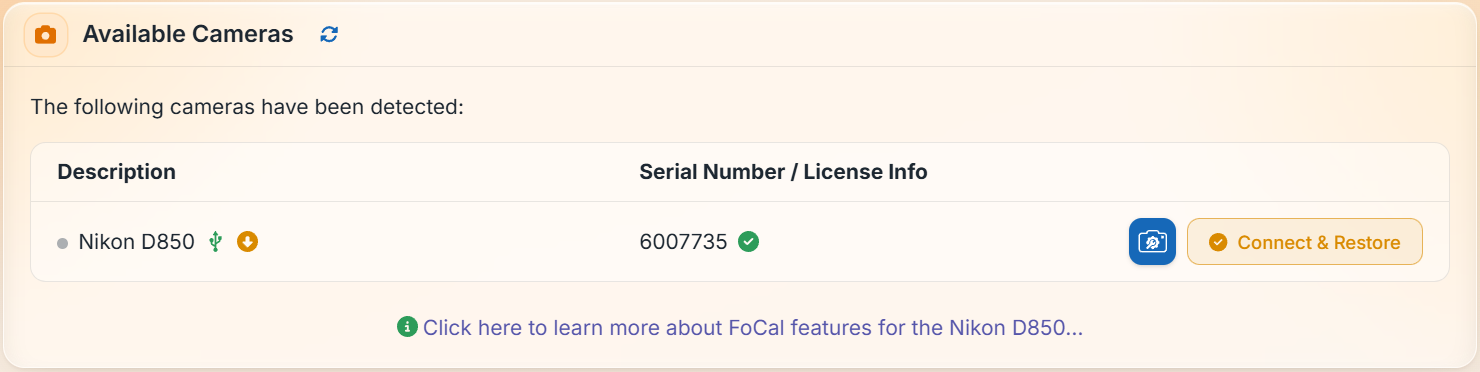
If FoCal asks whether to restore the camera’s settings, choose Yes. If you choose No, FoCal deletes the saved settings and you’ll need to set the camera back yourself.
If the camera isn’t connected
If the camera isn’t connected, the Camera page shows an Unrestored Camera Settings message as a reminder. FoCal keeps the settings until you connect that camera again.
The settings are saved on that computer only, so connect the camera to the same computer to put them back.
Avoiding it
Note: Wait for a test to finish, or stop it, before you unplug or switch off the camera.
- To change something on the camera during Target Setup, use the blue click here to pause it and unlock the camera, rather than pulling the cable: see Camera Settings – Target Setup Utility.
- Keep the battery charged and use a good USB cable, without extensions: see Camera Setup (Physical).
- If you connect over Wi-Fi or Ethernet, a dropped network connection has the same effect: see Connecting to FoCal with Camera WiFi or Ethernet.