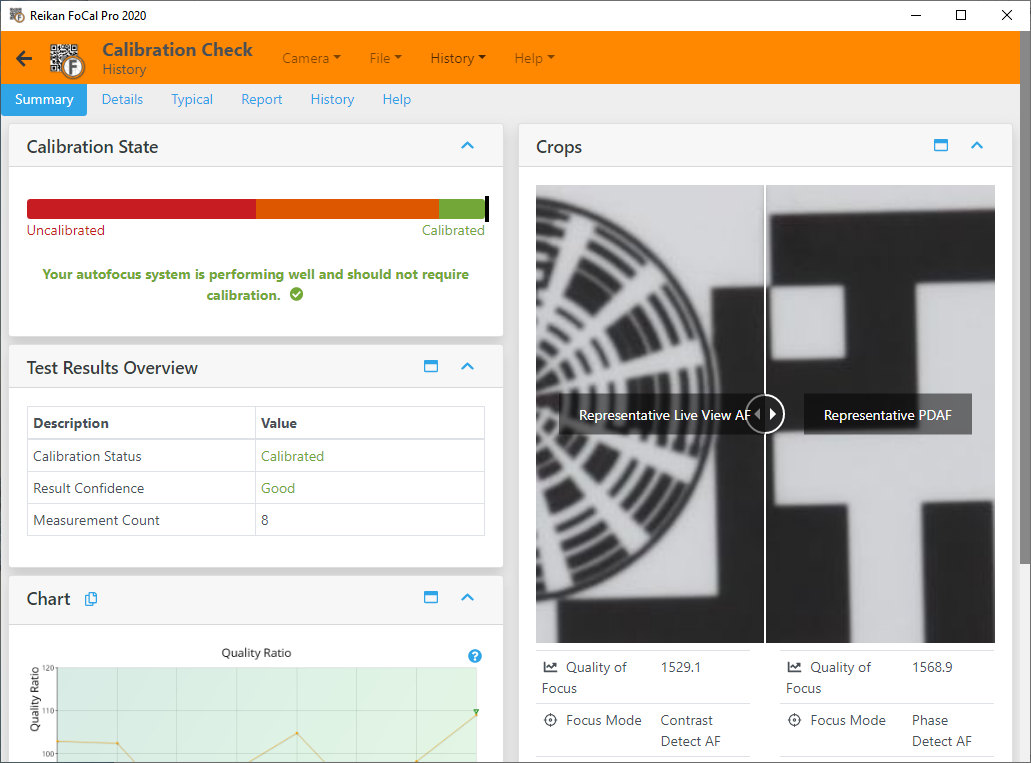
Test Page Tabs
Each test page has a row of tabs at the top. Which tabs you see depends on the test, whether it's running, and your FoCal edition:
- Settings: the settings for this test, shown before a camera test runs. See the help page for each test.
- Files: choose the image files for a File Mode test. See Files Tab.
- Status: the state of the test, with Start and Stop. See Status Tab.
- Summary: the main results, with a chart, crops and an overview of the test.
- Details (FoCal Pro): every chart, the full results, the shot list and the details of each shot.
- Scores (FoCal Pro): the main results as scores from 0 to 100, for tests that have scores.
- Compare (FoCal Pro): how your results compare with other users of the same camera and lens. See Compare Tab.
- Report (FoCal Pro): save a PDF report and export the test. See Report Tab.
- History (FoCal Pro): earlier results for the same camera and lens. See History Tab.
- Help: an overview of the test and links to this online help.