Settings – Calibration
On this page
The default settings suit almost everyone. The Settings tab lets you change how the calibration runs:
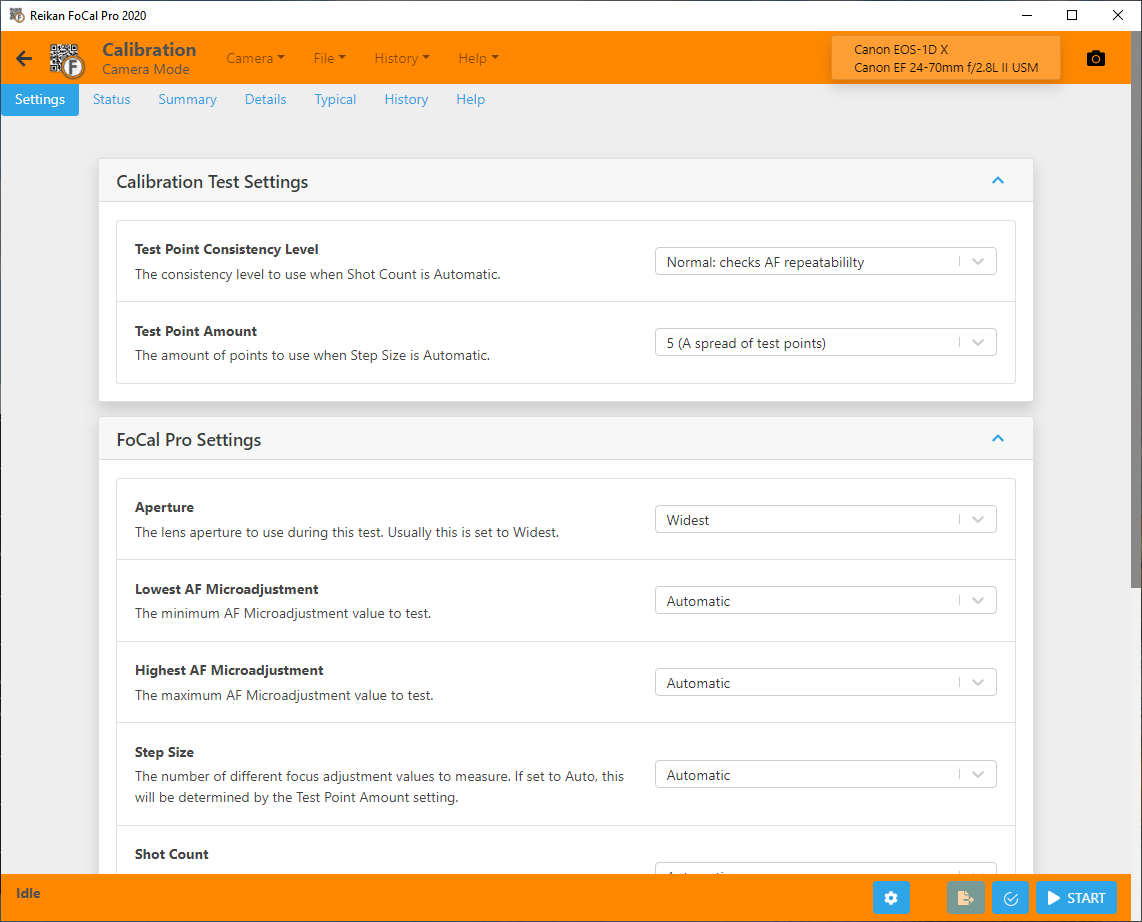
Options that apply to every test (such as Target Validation and the pre/post-shot alert) are in the main Settings, linked from the bottom of the tab.
Calibration Test Settings
Test Point Consistency Level
FoCal takes several shots at each Focus Adjustment value. Ideally every shot would measure the same, but in practice they never do (see An Introduction to Autofocus for much more on this). This option sets how closely the shots must agree before FoCal moves on. It applies when Shot Count is Automatic.
- None: no AF repeatability check. FoCal takes a single shot at each value. This is not recommended for normal use, but can be useful in some advanced cases.
- Normal: checks AF repeatability. FoCal takes several shots at each value and moves on when it is confident of the typical measurement. This is the default.
- Tight: strict AF repeatability required. FoCal keeps taking shots until several give very similar measurements. This gives more confidence in the typical value, but takes longer.
Leave this on Normal. If your results vary from one test to the next, try Tight.
Test Point Amount
FoCal measures at several Focus Adjustment values across the range. This option sets how many. It applies when Step Size is Automatic.
- 5: a good spread of test points. This is the default.
- 8: more test points.
- 10: a very high number of test points.
More points take longer but give more detail on the Lens Profile - Fully Auto Calibration chart.
FoCal Pro Settings
These settings need FoCal Pro. Without it they are shown but can't be changed.
Aperture
The aperture used for the test shots. The default is Widest, which is right for almost every calibration.
This may or may not change the aperture the camera focuses at. Most DSLRs focusing through the viewfinder (phase detect) always focus with the lens wide open, then stop down to take the shot. In Live View, and on mirrorless cameras, it depends on the camera and its settings.
Lowest / Highest Focus Adjustment
The names follow your camera's setting, for example Lowest AF Microadjustment and Highest AF Microadjustment.
A calibration normally tests the whole adjustment range. For example, if the camera's range is -20 to +20, FoCal measures at -20, +20 and several points in between.
Sometimes you may want to limit the range. For example, if the result is close to -20 and the shots at +20 are so blurred that FoCal can't recognise the target, you could test from -20 to 0 instead.
Leave both at Automatic to let FoCal choose.
Note: limiting the range can stop FoCal finding a valid result. Use the widest range you can, and centre it on where you expect the result. To begin with, choose values centred on 0 (for example -15 to +15, not -15 to 0).
Step Size
The gap between the Focus Adjustment values tested. At Automatic, the Test Point Amount setting decides this. Choose a value for more or less detail along the horizontal axis of the charts.
Shot Count
The number of shots at each Focus Adjustment value. At Automatic, the Test Point Consistency Level setting decides this. Choose a value to take a fixed number of shots at every point.
Reorder Test Points
When this is on, FoCal tests the two ends of the range and the middle first (for example -20, +20, 0 ...). You get a rough result within three measurements, and the test then refines it.
With User Assisted Mode cameras, this can mean a lot of scrolling through the adjustment setting on the camera. Turn the option off to test the values in order (for example -20, -10, 0, +10, +20), which needs less changing on the camera.
Calibration Focus Mode
This only appears if the camera can calibrate more than one autofocus system (for example the viewfinder and Live View on the Nikon D780). Choose the system to calibrate.
Defocus Amount / Defocus Direction
To make the autofocus work for every shot, FoCal defocuses the lens between shots. These options set how far (None, Small or Large) and in which direction (Towards Infinity or Towards Camera). Defocus Direction is unavailable when the amount is None.
Changing these can reveal interesting behaviour in the autofocus system. Unless you understand the effects well, leave them at Large and Towards Infinity.