Compare Tab
On this page
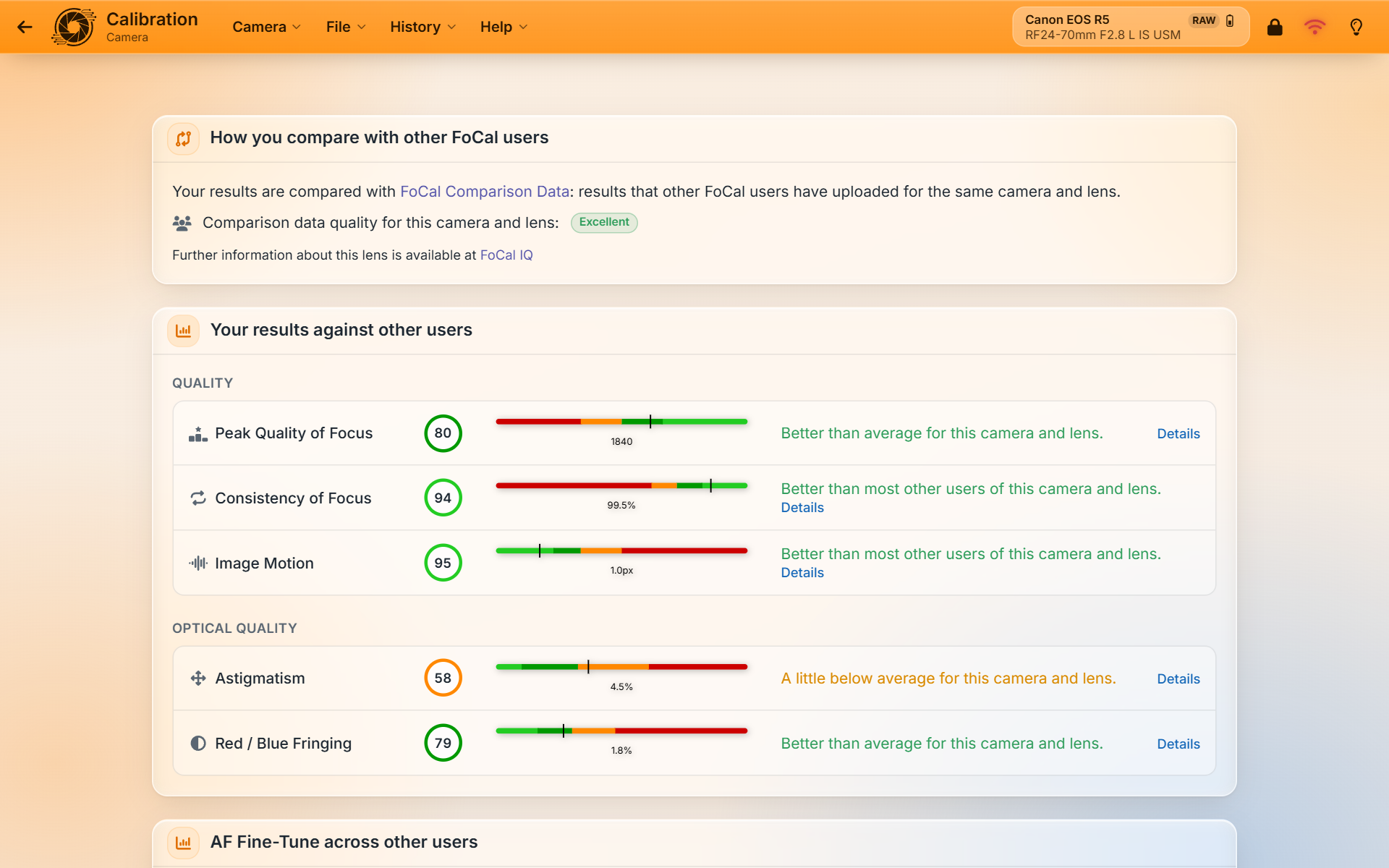
The Compare tab (called Typical in earlier versions of FoCal) shows how your results compare with other FoCal users of the same camera and lens. The comparison uses FoCal Comparison Data.
When it's available
With FoCal Pro or Commercial, the Compare tab is on the Focus Calibration, Calibration Check, AF Consistency and Aperture Sharpness tests. It needs FoCal Comparison Data for your camera and lens (FoCal fetches it once the test has started and it knows the camera and lens), and a licence within its included updates period. If either is missing, the tab says why.
What it shows
- How you compare with other FoCal users: how much comparison data there is for this camera and lens (Excellent, Good or Limited). With Limited data, treat the comparison as a rough guide. For zoom lenses, FoCal says which part of the zoom range it compares with. Where available, there's a link to more about the lens on FoCal IQ.
- Your results against other users: each result with its score, a bar showing where your value sits among other users, and a sentence such as Better than average for this camera and lens. Click Details to see the score on the Scores tab.
- AF fine-tune across other users (where available): the range of focus adjustment values most users of this camera and lens end up with, and where yours sits. The name matches your camera, for example AF Fine-Tune or AF Microadjustment.
- Worth knowing: notes when a result stands out, for example astigmatism or autofocus consistency well below other users, with what to check.
Your results appear as the test runs. If FoCal can't fetch the data (for example, there's no internet connection), the tab says so: open the test again later to try again.