Camera Settings – Target Setup Utility
The Camera Settings check looks at the drive mode, focus mode, focus point selection, exposure mode, Anti-Flicker Shooting and other settings on the camera.
Making Changes
While a test (including Target Setup) is running, FoCal locks the camera's controls, shown by the padlock icon at the top right of FoCal. You can't change anything on the camera while it's locked.
If Camera Settings shows a warning, click it to see the details:
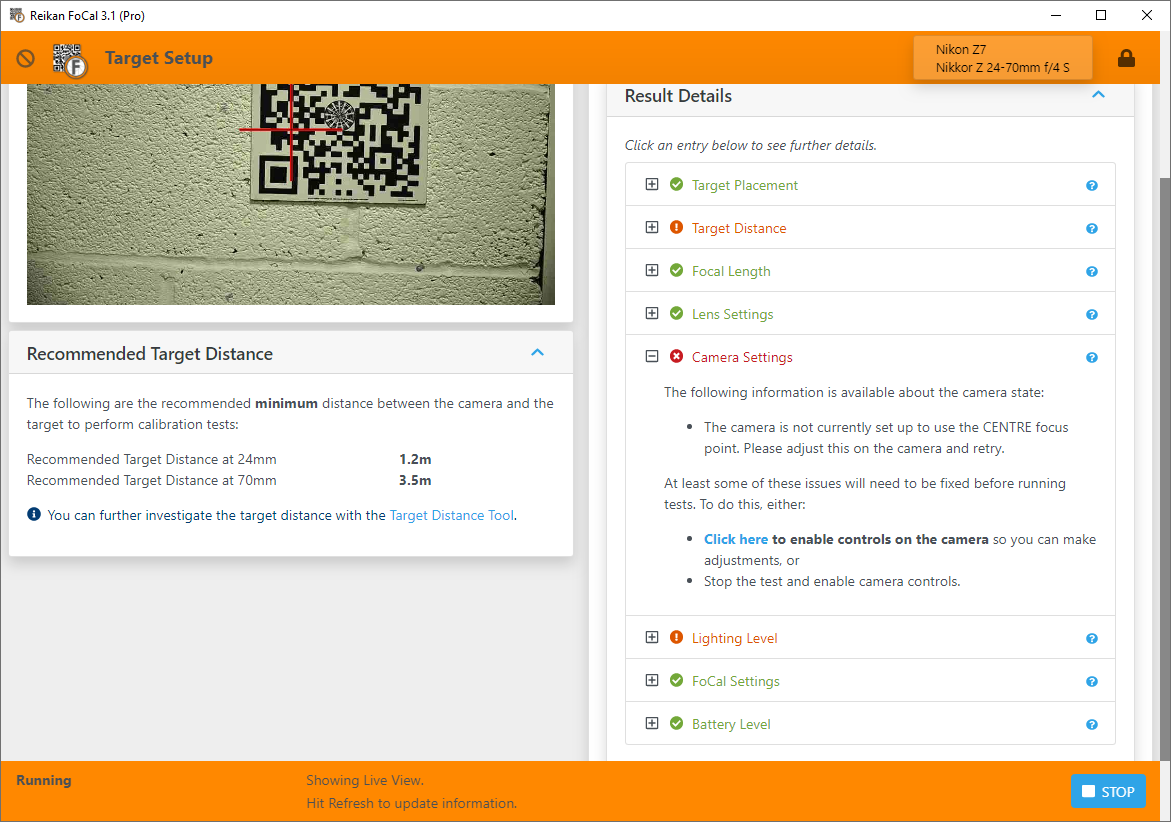
To make changes, click the blue click here link ("If you wish to adjust settings on the camera, click here to enable the controls"). This pauses Target Setup and unlocks the camera.
PLEASE NOTE:
Don't unplug the camera to make changes. If you do, Target Setup can't continue, you'll need to restore your camera's settings when you next connect, and then start again. See If the Camera Disconnects.
When you've made the change on the camera, click the button on the message on screen:
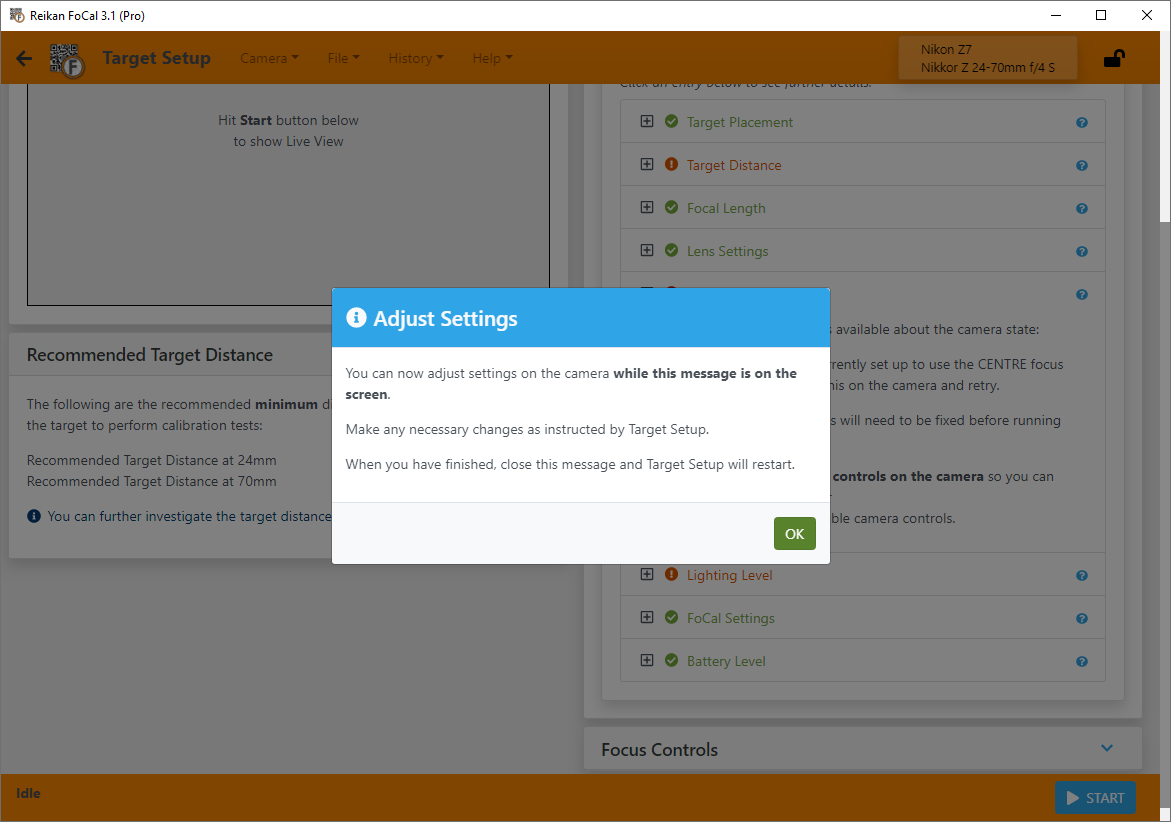
FoCal locks the camera controls again, and Target Setup resumes, rechecks your setup and shows the results.