FoCal Pro Settings
On this page
- Use Raw
- Use Dual-Pixel Raw (if available)
- Don't configure Exposure Compensation / Metering Mode / ISO / White Balance
- ISO
- Colour Temperature
- Allow Non-Centre Focus Point
- Display fractional Focus Adjustment values
- Show RGBHV analysis data
- Show Live View display on camera (if supported)
- Show Chart Legends
- Auto Save Report
- Save Images
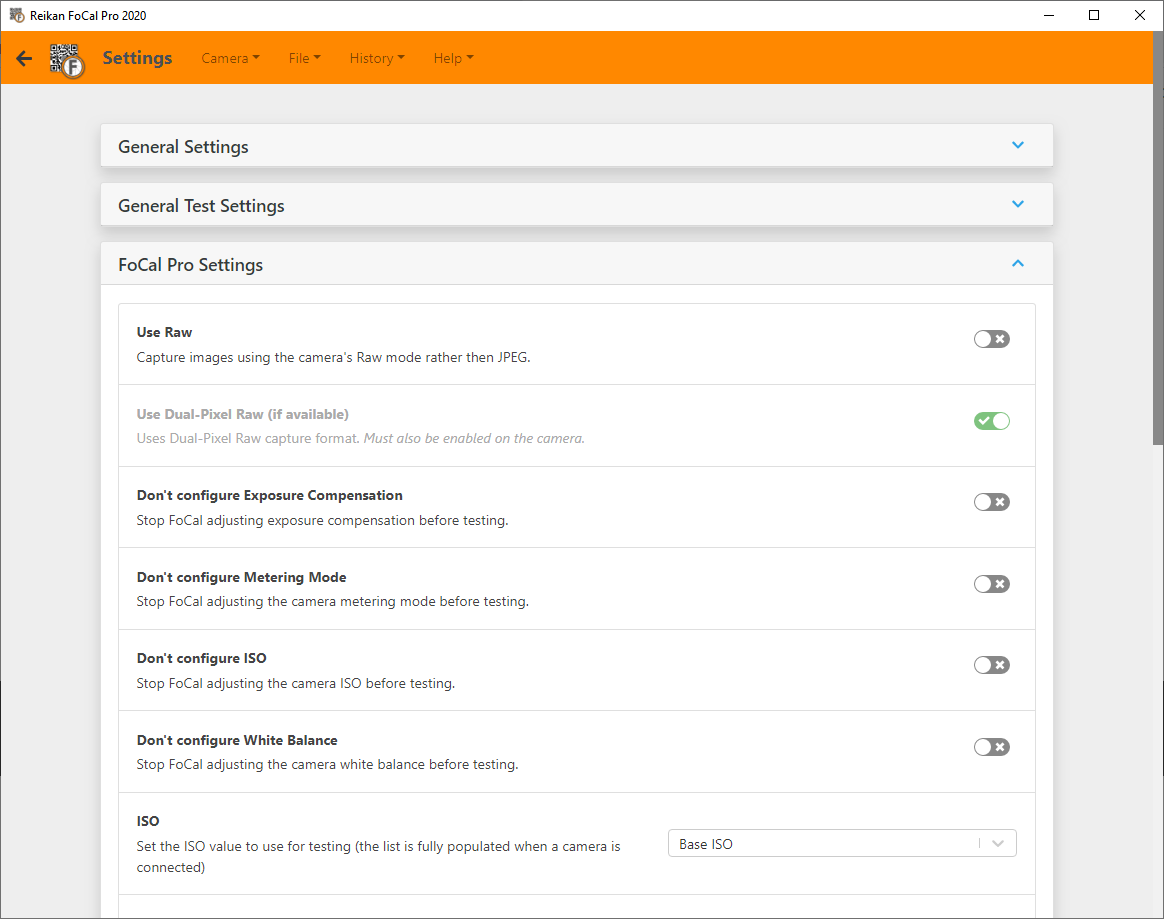
The FoCal Pro tab of Help › Settings. These settings need a FoCal Pro or Commercial licence. Some of them can't be changed while a test is running.
Use Raw
Captures images in the camera's Raw format instead of JPEG, where supported.
In almost all cases JPEG analysis is faster and just as accurate. Use Raw for advanced work, for example if you're interested in the analysis of the separate red, green and blue colour channels.
Use Dual-Pixel Raw (if available)
FoCal can show extra focus information (in the charts for Focus Calibration, AF Consistency and Aperture Sharpness) from cameras that support Canon's Dual Pixel Raw format. To use it:
- Turn on Use Raw in FoCal.
- Turn on Use Dual-Pixel Raw in FoCal.
- Turn on Dual Pixel Raw on the camera.
If you don't turn it on in the camera (step 3), the camera captures normal Raw images.
Don't configure Exposure Compensation / Metering Mode / ISO / White Balance
FoCal normally sets these before a test. Turn on any of these options to stop FoCal changing that setting, so you can test with your own value.
For example, to test with your own exposure compensation: turn on Don't configure Exposure Compensation, set the exposure compensation on the camera, then run the test. FoCal won't change it.
ISO
The ISO FoCal uses for testing. The list is filled in fully when a camera is connected.
Colour Temperature
The white balance colour temperature FoCal uses for testing.
Allow Non-Centre Focus Point
Most FoCal testing uses the centre focus point. If the camera is set to another point, FoCal warns you and won't run the test. Turn this on to test with other focus points.
This is an advanced feature. Make sure you understand the effect of not using the centre point before you use it.
Display fractional Focus Adjustment values
FoCal calculates focus adjustment values very precisely, but cameras only accept whole numbers, so FoCal normally shows whole numbers. Turn this on to show calculated values to one decimal place.
Show RGBHV analysis data
FoCal analyses the red, green and blue colour channels, and the horizontal and vertical directions, to reach its overall result. Turn this on to show the separate R, G, B, H and V results on the charts, where available.
Show Live View display on camera (if supported)
Shows the Live View image on the back of the camera whenever FoCal uses Live View, if the camera supports it.
Show Chart Legends
Shows legends on charts, explaining what each series is.
Auto Save Report
Saves the PDF report automatically when a test finishes.
Save Images
Saves every image FoCal captures during testing. Turn the switch on, and choose the folder to save them in.