MultiTest (Live View)
MultiTest can run in Live View mode. In this mode it works on cameras without any focus adjustment setting (AF Microadjustment, AF Fine Tune and so on), and runs completely hands-free on any camera.
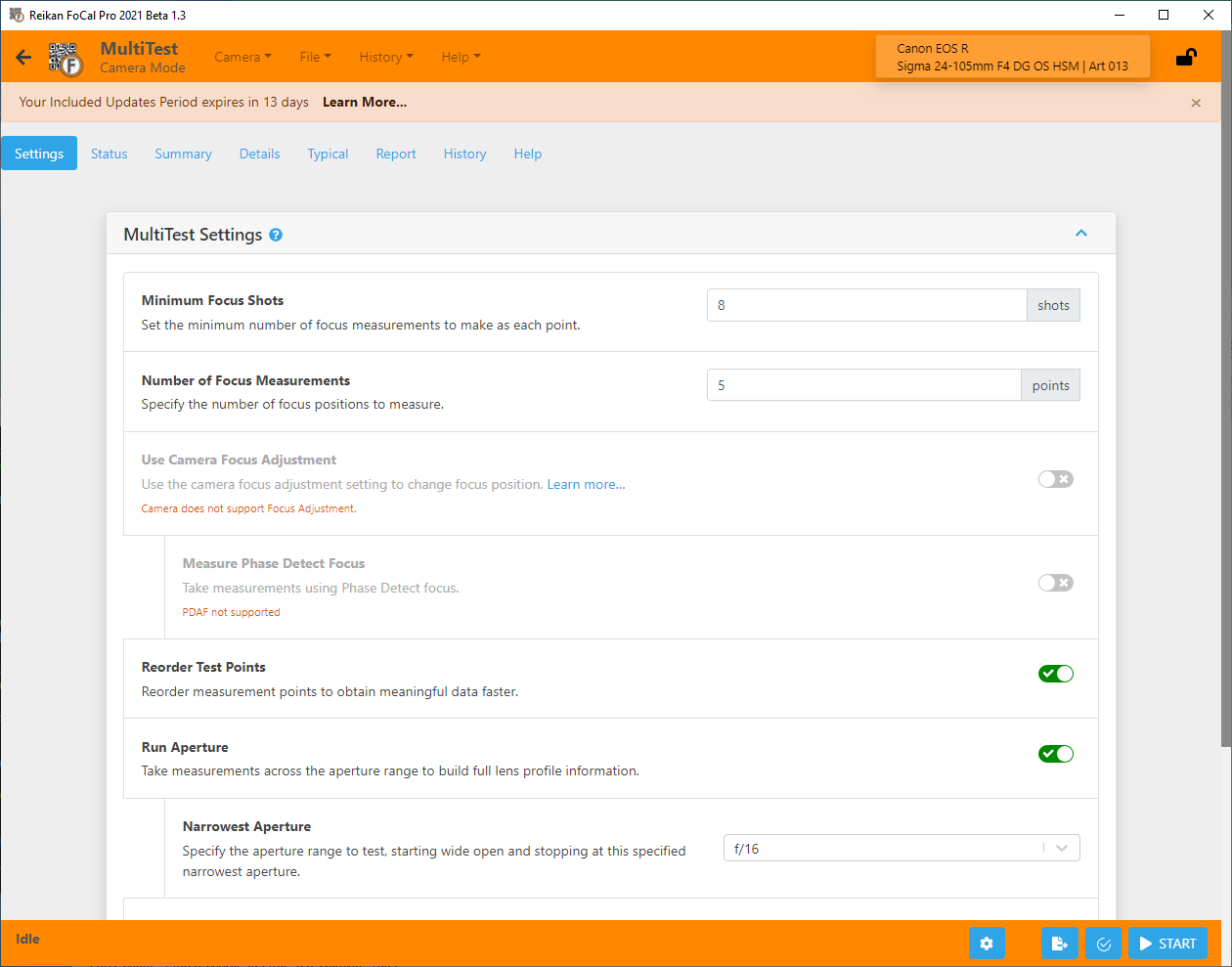
The Use Camera Focus Adjustment setting on the Settings tab chooses the mode:
- On: MultiTest uses the camera's focus adjustment setting to move the focus. This is only available on cameras that have one.
- Off: MultiTest runs in Live View mode and drives the lens focus itself. This works with any camera.
On cameras without a focus adjustment setting, the option is off and can't be changed, as in the example above for the Canon EOS R.
How the two modes differ
MultiTest measures slices of aperture data at a series of focus positions. With camera focus adjustment, it sets each focus position with the focus adjustment value. In Live View mode, it drives the lens focus to each position directly.
Because of this, the focus position scale on the charts is different in the two modes.
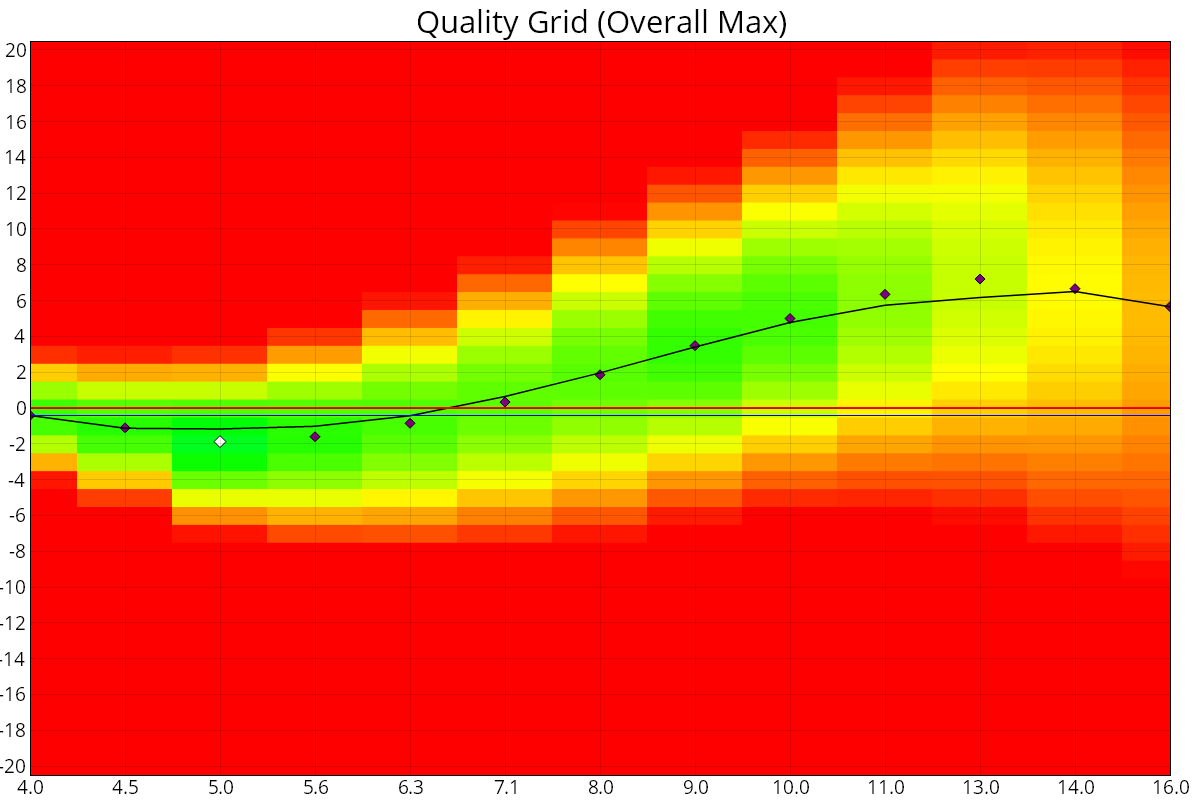
With camera focus adjustment, the focus axis is in the camera's focus adjustment units (for example AF Microadjustment or AF Fine Tune), usually -20 to +20:
In Live View mode, the focus axis is in focus offset units, from -50 to +50:
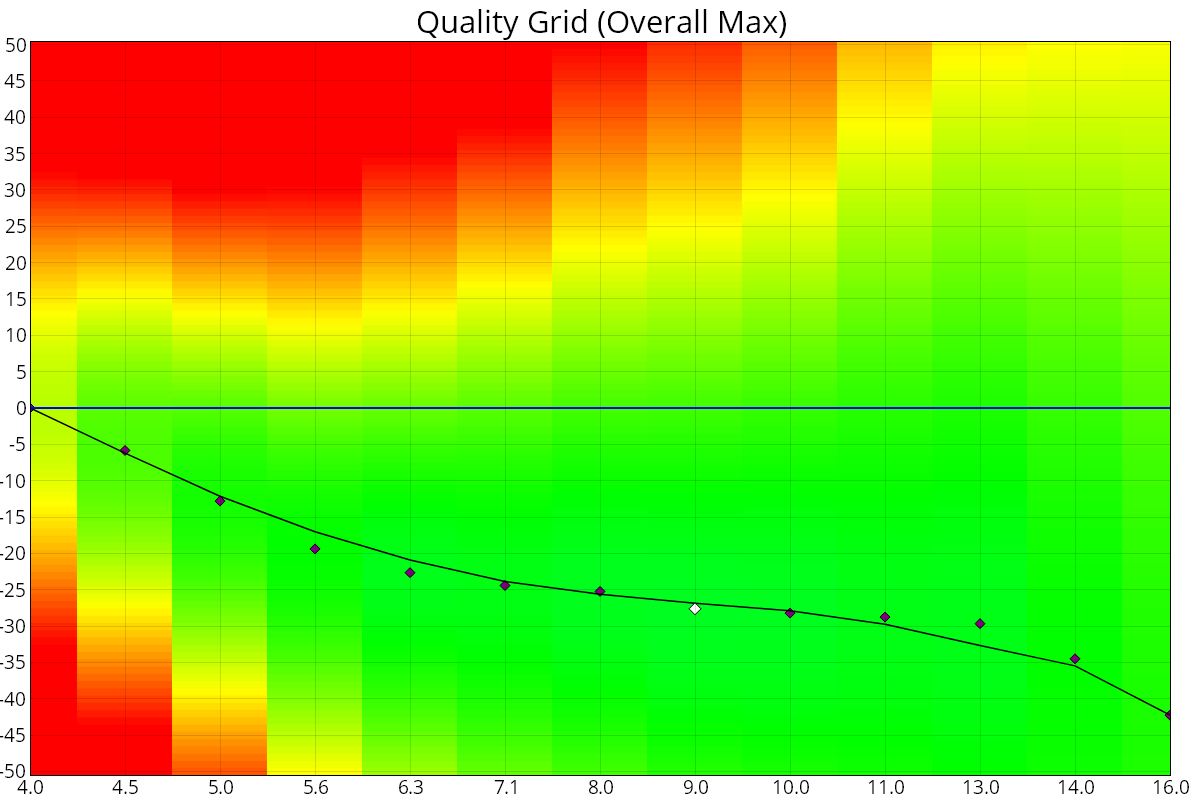
The two scales can't be compared directly. This doesn't affect the main results: the sharpest aperture and focus position, the true wide-open sharpness, the manual-focus aperture sharpness profile and focus shift are all available in both modes.
What changes in Live View mode
- 0 on the focus axis is where live view autofocus focused.
- The Focus Steps – MultiTest chart shows how the lens responded as FoCal stepped the focus. It is only available in this mode.
- Results and charts that depend on a focus adjustment value are not shown: the ARQS chart, the Autofocus Error chart, Best Wide and Best ARQS, and the calibrated lines on the aperture charts.
- On the aperture charts, the red line is labelled Wide Open instead of Uncalibrated.
- You can turn on Measure Phase Detect Focus to add phase-detect autofocus shots for comparison.