Settings – MultiTest
On this page
The Settings tab holds the MultiTest Settings. The defaults suit most uses.
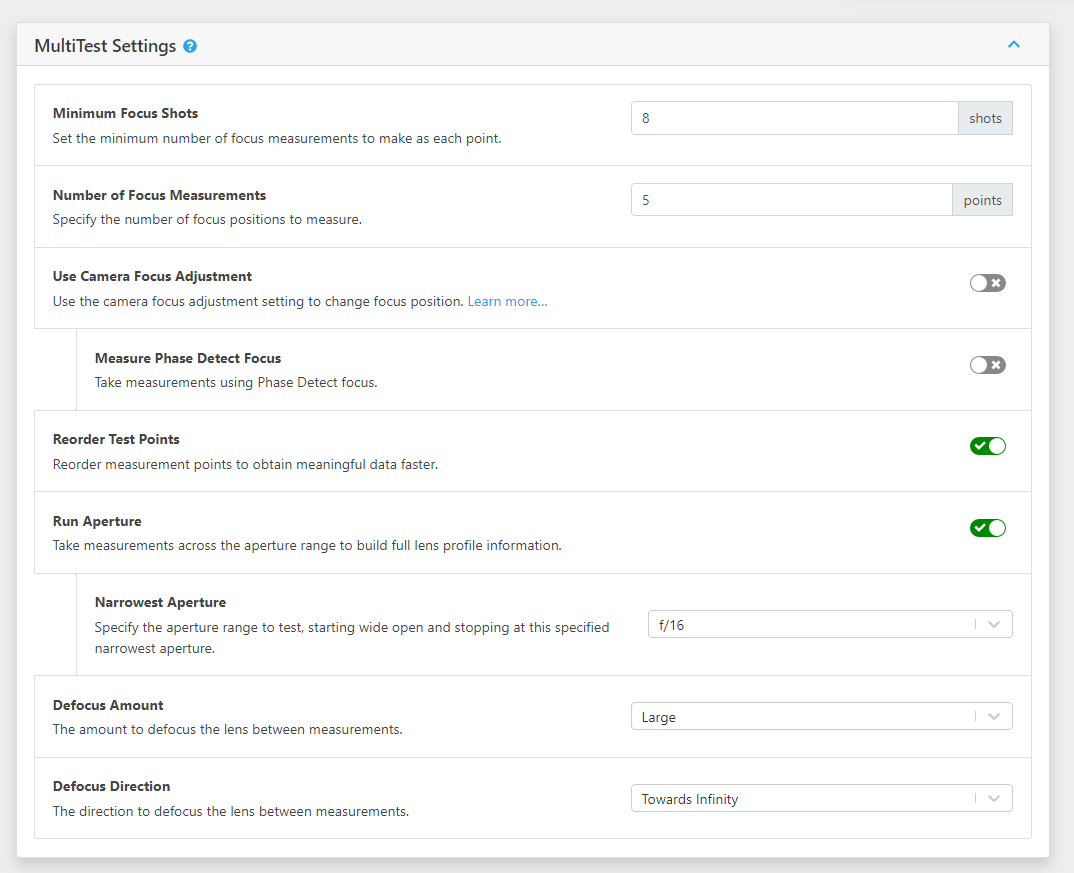
Minimum Focus Shots
The minimum number of autofocus shots at each focus adjustment point, from 3 to 100. The default is 8. Eight or more gives a reliable measurement at each point.
If the results at a point aren't consistent enough, FoCal may take more shots than this.
Number of Focus Measurements
The number of focus positions measured across the range, from 5 to 20. The default is 5. On a camera with a range of -20 to +20, this measures at -20, -10, 0, +10 and +20.
More points give a slightly more accurate result, but each extra point adds roughly 3 to 5 minutes.
Use Camera Focus Adjustment
When on (the default), MultiTest changes the focus position with the camera's AF Microadjustment / AF Fine Tune.
When off, MultiTest runs in Live View mode and drives the lens focus itself. This works with any camera. See MultiTest (Live View).
On cameras without a focus adjustment setting, this option is off and can't be changed ("Camera does not support Focus Adjustment").
Lowest / Highest Focus Adjustment
Shown when Use Camera Focus Adjustment is on. The title uses your camera's name for the setting, for example Lowest AF Microadjustment.
MultiTest normally uses the whole focus adjustment range, for example -20 to +20. You can narrow the range. For example, if the result is close to -20, you might test from -20 to 0, because shots at +20 are too far out of focus for FoCal to recognise the target.
Leave both at Auto to let FoCal choose.
Measure Live View Focus
Shown when Use Camera Focus Adjustment is on. Also takes live view autofocus shots, where the camera supports it, and adds them to the results. They appear as a blue band on the Focus & Aperture Quality – MultiTest chart. Off by default.
Measure Phase Detect Focus
Shown when Use Camera Focus Adjustment is off. Also takes phase-detect autofocus shots, where the camera supports it, and adds them to the results. Off by default.
Reorder Test Points
When on, FoCal measures the focus adjustment points in an order that gives a useful overview early. For example, it measures -20, 0 and +20 first, then fills in -10 and +10. The charts fill in sooner.
When off (the default), FoCal measures the points in order: -20, -10, 0, +10, +20. The charts fill in later, but what you see during the test is closer to the final result.
The final results are the same either way.
Run Aperture
When on (the default), MultiTest measures across the aperture range to build the full lens profile.
When off, it only measures with the lens wide open. This is like a standard Calibration test, but without setting a final value. Some results and charts are not available in this mode.
Narrowest Aperture
The narrowest aperture to test, when Run Aperture is on. The default is f/16.
At very small apertures, the depth of field is so large that sharpness barely changes across the focus range, so FoCal can't measure it accurately. We don't recommend testing beyond f/16.
Defocus Amount
How far FoCal moves the focus away between shots, so the camera has to refocus each time: None, Small or Large. The default is Large.
Defocus Direction
Which way FoCal moves the focus between shots: Towards Infinity (the default) or Towards Camera.
The target is usually much closer to the minimum focus distance than to infinity, so defocusing towards infinity works best. If you are testing near infinity focus, try Towards Camera.