Corner Brightness Profile – Aperture Sharpness
(See Chart Features for general chart features - changing scales, copying to clipboard etc)
What this shows
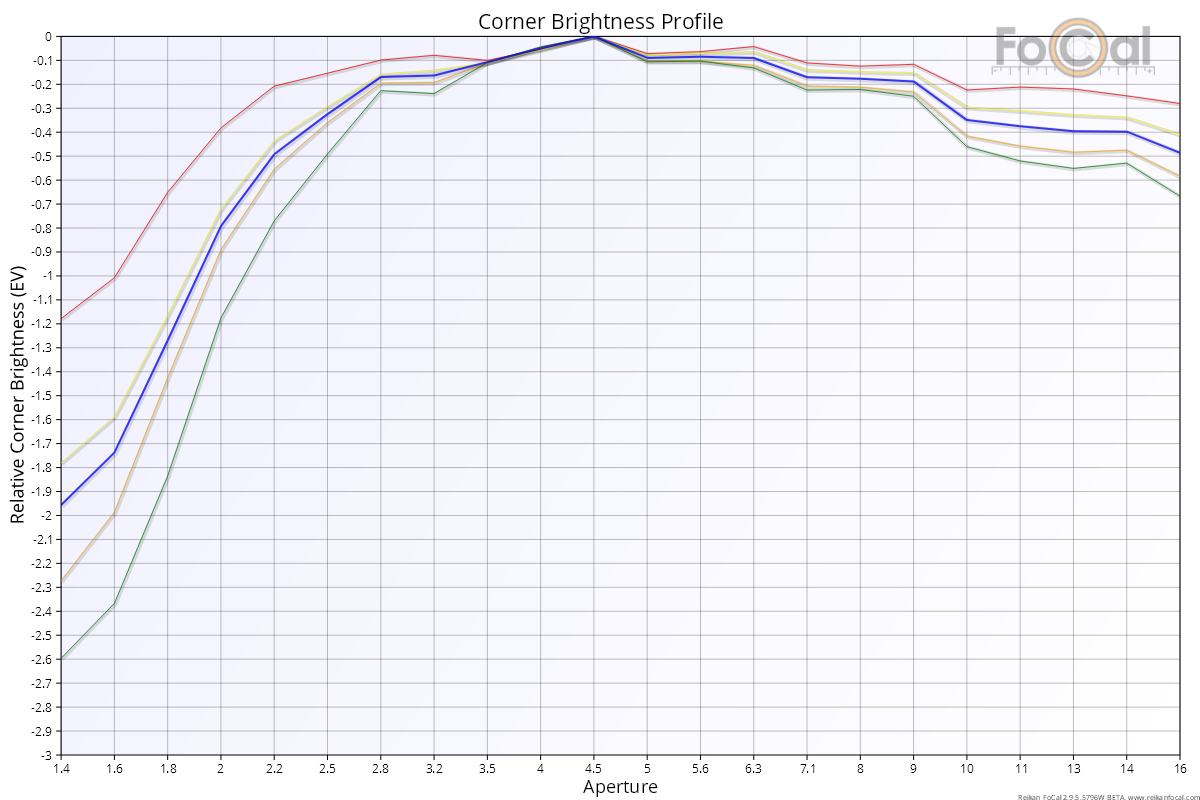
The Corner Brightness Profile shows how the brightness of each corner of the frame changes across the aperture range, compared with the centre. It gives an idea of the vignetting (corner darkening) of the lens.
How to read it
- Horizontal axis: aperture, wide open on the left.
- Vertical axis: relative corner brightness, in stops (EV), from -4 to 0.
Each corner is measured against the centre of the same image, which removes small exposure differences between shots. Each corner's line is then set to 0 EV at the aperture where that corner is brightest relative to the centre (usually a small aperture). A value of -1 means that corner is one stop darker, relative to the centre, than at its brightest.
Key:
- Red dashed line: top-left corner.
- Orange dashed line: top-right corner.
- Yellow dashed line: bottom-left corner.
- Green dashed line: bottom-right corner.
- Thick blue line: the average of the four corners.
- Red vertical line labelled DLA: the diffraction limited aperture for your camera.
What good looks like
- The four corner lines close together. Lines that differ a lot can mean uneven lighting on the target, or a lens that isn't centred.
- Most lenses vignette most when wide open, so the lines are lowest on the left and rise to 0 EV as you stop down. How much is normal depends on the lens.
If it looks wrong
- The corners of the frame must be evenly lit and not completely dark, and must not change during the test. Otherwise this chart isn't meaningful.
- Many cameras apply lens corrections (including vignetting correction) to JPEG images, sometimes even when the camera setting is off. For a true picture of vignetting, run the test in Raw mode.
Further Details
Raw vs JPEG
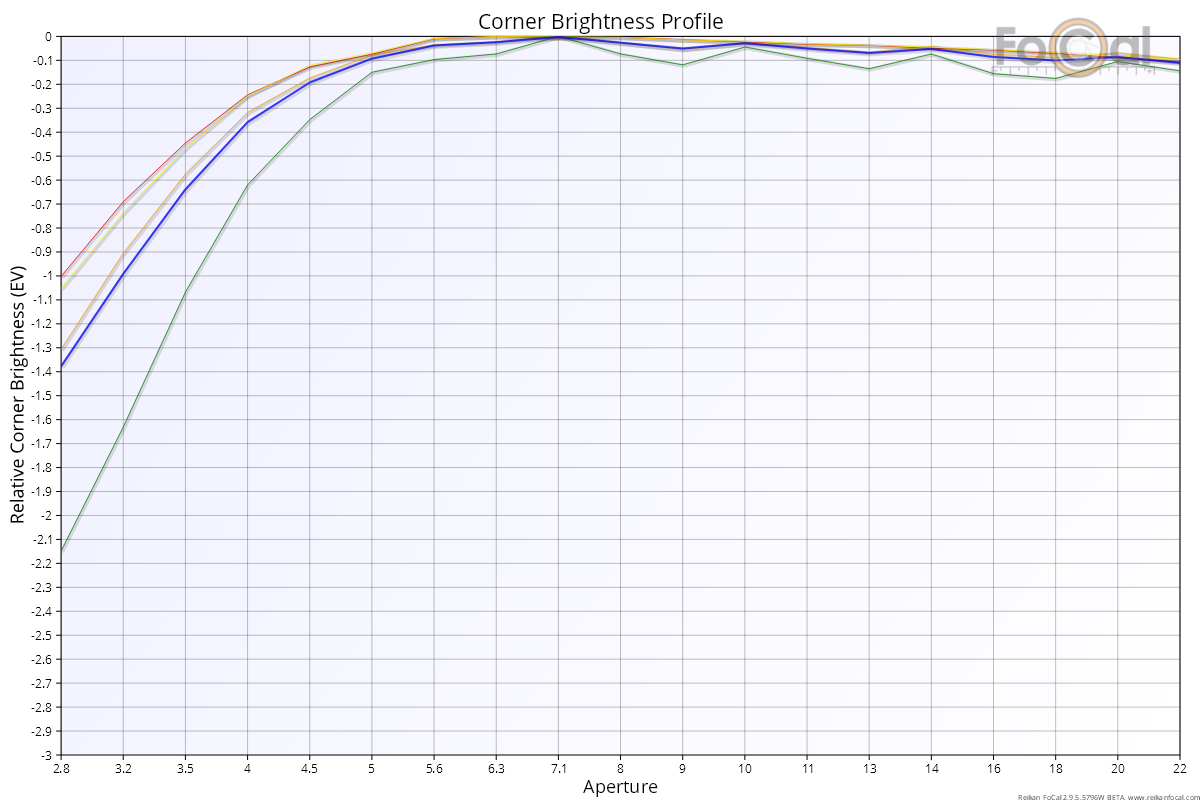
The following example is from a Canon 5D Mark IV and EF 40mm f/2.8 STM, tested in JPEG mode. There is a little wobble at the smaller apertures. One line (green, the bottom-right corner) differs more than the others:
The following chart is the same kit tested in Raw mode. The smaller apertures are much more stable, and the lines are much closer together on the left (the wider apertures, near f/2.8):
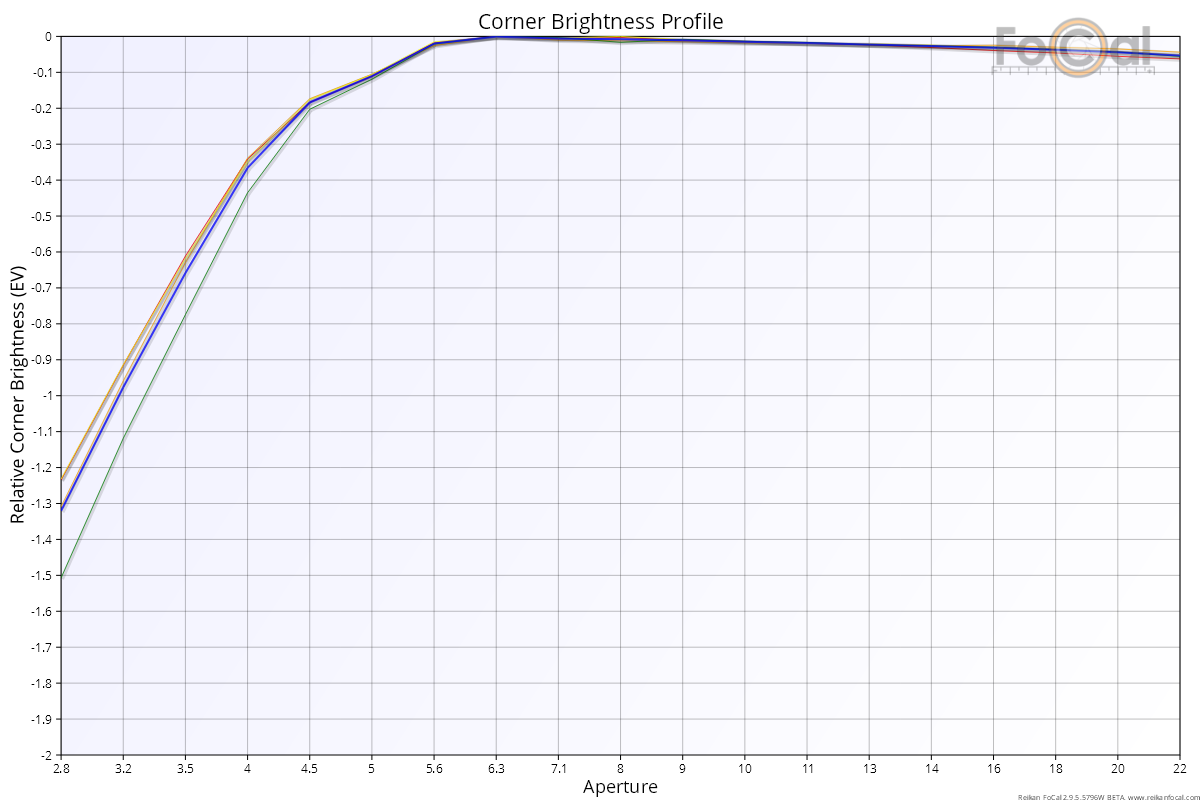
The average vignetting is very similar: 1.3 stops in Raw and 1.4 stops in JPEG. That is expected here, because vignetting correction was turned off on the camera, so the JPEG images were not adjusted.