Snapshots – Overview
The Snapshots page has five tabs:
- Welcome: a short introduction, with shortcuts to capture, restore or import a Snapshot.
- Camera: connect to a camera and capture a Snapshot of its settings.
- Database: the Snapshots saved on your computer.
- Snapshot: the Snapshot you're working on (called Current Snapshot in earlier versions).
- Import/Export: import and export Snapshots, and back up the Snapshot database.
The screenshots on these pages are from an earlier version of FoCal, where the Database tab was called Snapshots and the Snapshot tab was a panel below the others.
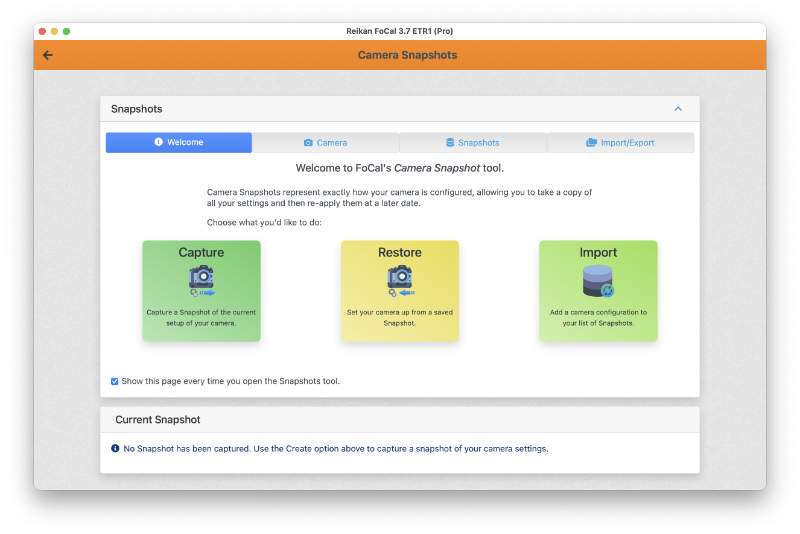
The Welcome tab is shown first. Once you're used to the tool, turn off Show this page every time you open the Snapshots tool at the bottom.
For more about each tab, see:
The Snapshot tab
When you capture or open a Snapshot, it appears on the Snapshot tab. See Snapshots – Snapshot Tab.