Target Placement – Target Setup Utility
The Target Placement check makes sure the camera is aimed correctly at the target.
You're warned if the camera is:
- aimed off to one side of the target
- aimed too far above or below the target
- rotated significantly with respect to the target
- not positioned square in front of the target
The tolerances are set to keep the analysis accurate. The camera doesn't have to point exactly at the centre of the target, so the check can pass even if your setup is a little off-centre.
Adjusting the Target Position
If the target isn't in the right position, Target Placement shows a warning. Click it to see more information:
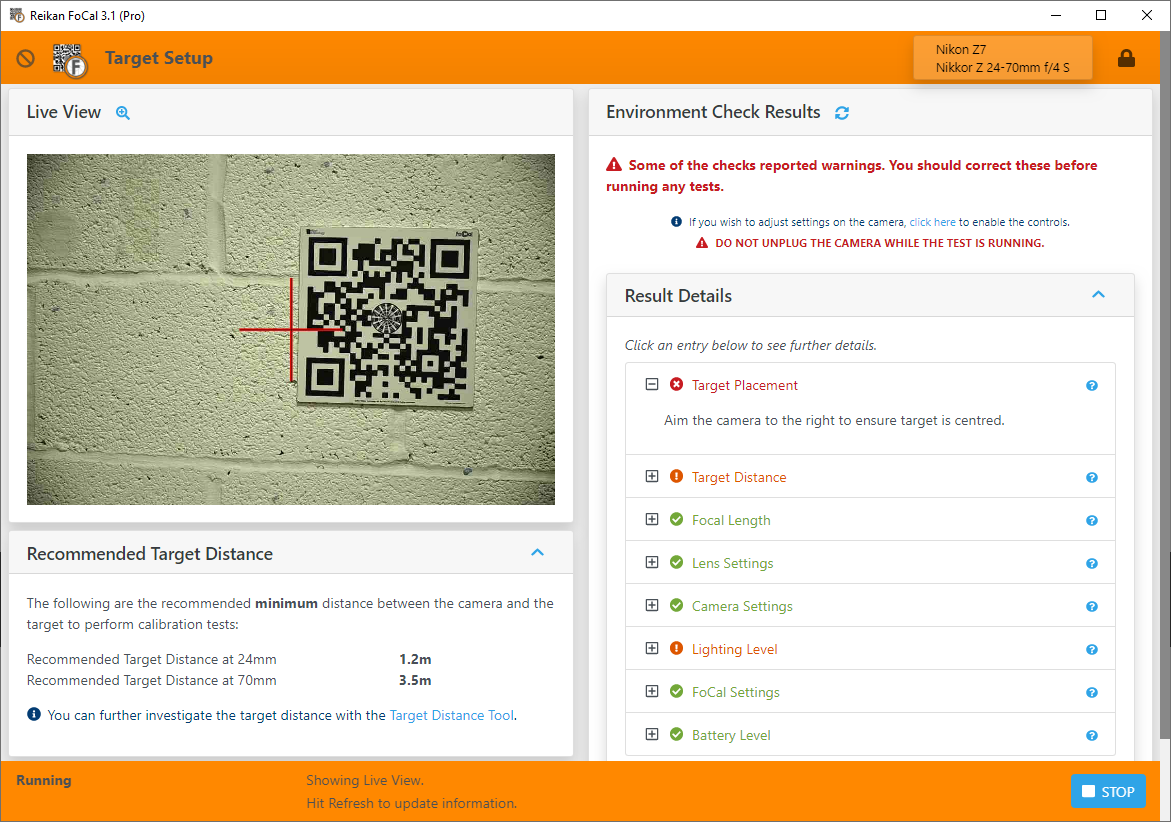
While Target Setup is running, adjust the aim by moving the camera on the tripod. The Live View image updates as you move: adjust the camera until the red cross is roughly over the centre of the target. It doesn't need to be precise.
Then click the refresh button next to the Environment Check Results title. FoCal takes a shot and updates all the results.